
Appearance
Parametric Geometries
In many engineering and research workflows, you often need to study how the geometry affects the simulation results — for example, how changing the length, thickness, or hole diameter impacts stress or field distribution. Doing this manually for each variation can be time-consuming and error-prone.
This is where Salome’s parametric modeling feature becomes incredibly powerful.
What are Parameters in Salome
Parameters in Salome are user-defined variables that can be used to control dimensions or geometric features. Instead of entering fixed numbers while creating sketches or solids, you can define named parameters (like length, height, width) and then assign those variables to the geometry.
When you change the value of a parameter, the entire geometry automatically updates — no need to manually modify each dimension or recreate the model.
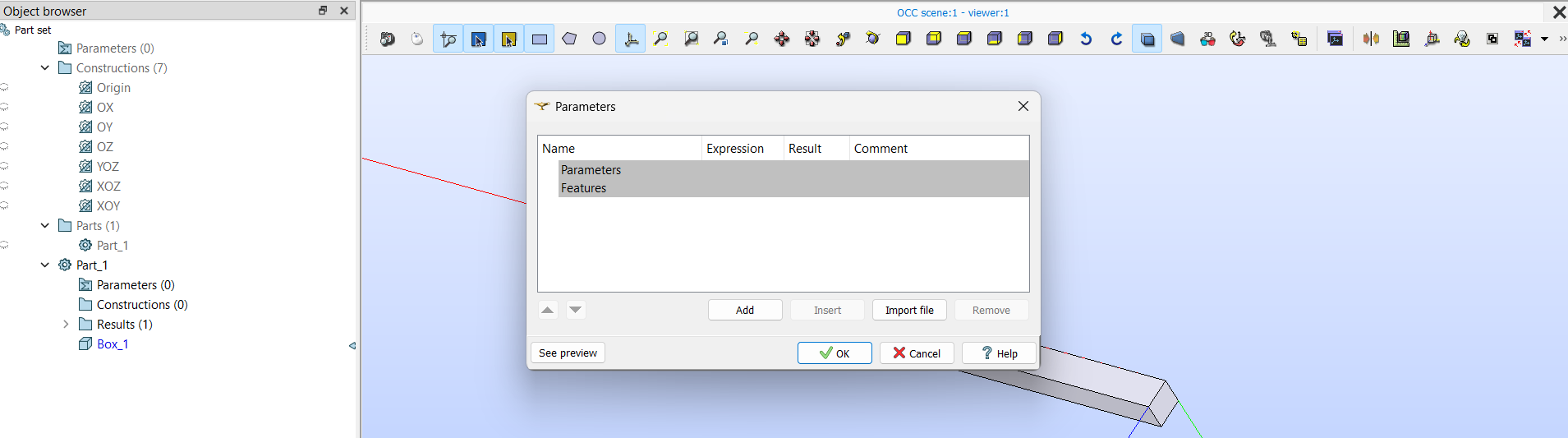
Note:
It is recommended to define parameters within each part in the Object Browser, rather than creating global parameters.
Creating and Using Parameters
Open the Shaper module and create a new part.
In the Object Browser, expand the Parameters section and click Create Parameter.
Define a name and a value. For example:
length = 1.0height = 1width = 1
When creating a primitive (like a Box, Cylinder, or Extrusion), instead of typing a number for the dimensions, type the parameter name.
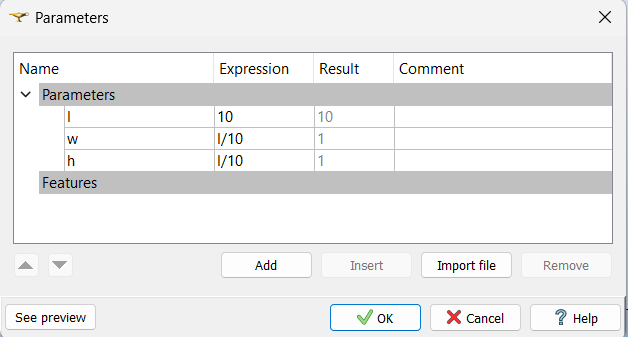
Once the geometry is created, if you later modify any of these parameters (for instance, set length = 1.5), the beam will automatically resize according to the new values.
Using Parameter Expressions
One of the most powerful aspects of Salome’s parameter system is that you can define expressions to make parameters depend on one another.
For example:
length = 10
width = length / 10
height = length / 10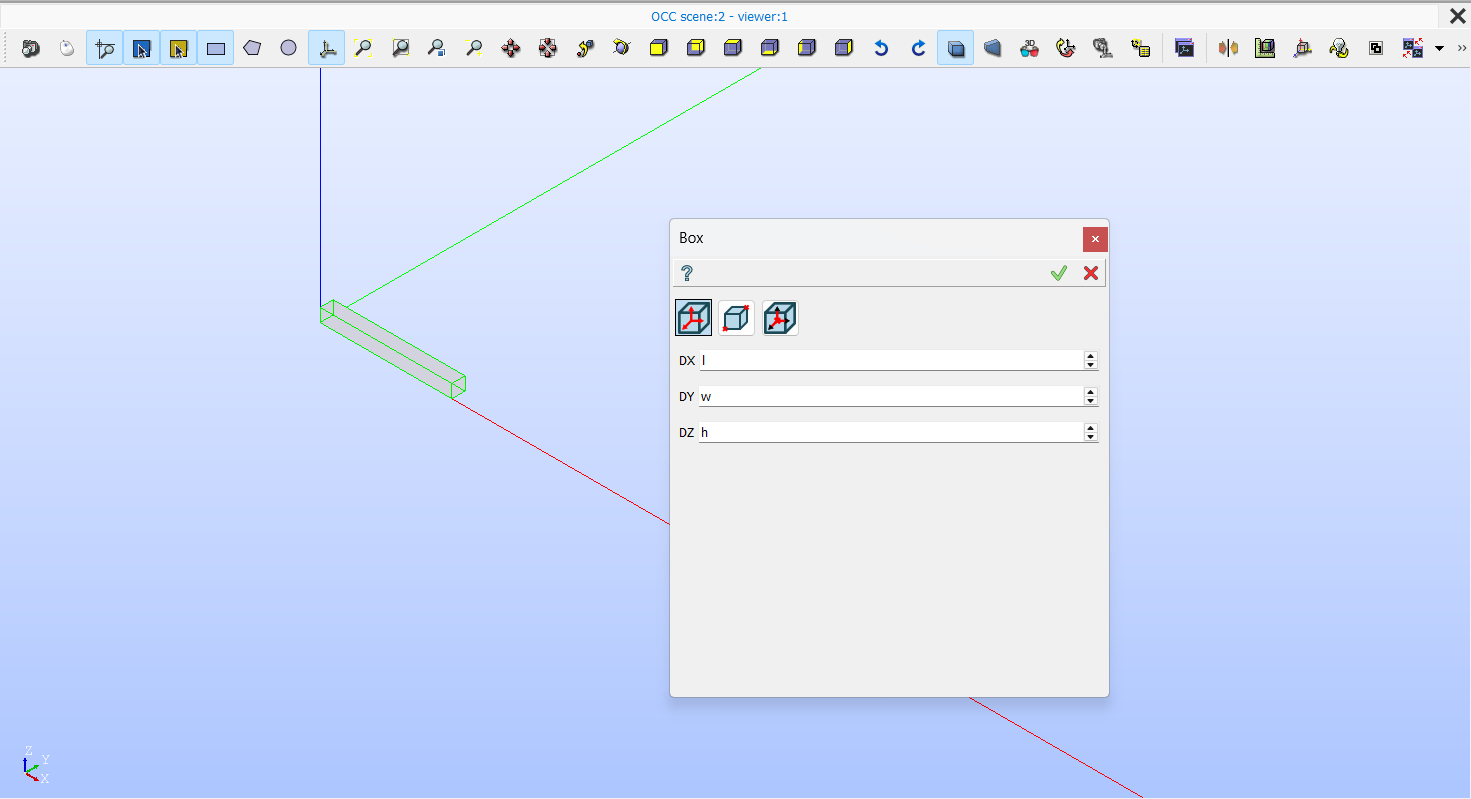
This allows you to define relationships between dimensions, so when one parameter changes, all dependent ones update automatically. It’s especially useful in studies where proportions must remain consistent — such as maintaining a fixed aspect ratio between length and height.
Benefits for Parametric Studies
Parametric modeling is a key enabler for automation and sensitivity analysis. When running a series of simulations (for example, to analyze how geometry changes affect stress, deflection, or electromagnetic fields), you can simply adjust parameter values and export new meshes without recreating the model each time.
This approach:
- Reduces modeling time dramatically
- Minimizes manual errors during geometry modification
- Ensures geometric consistency across all studies
- Integrates seamlessly with Python scripting in Salome for batch generation of parametric models
Summary
Salome’s parameter-based geometry creation allows you to build flexible, easily adjustable models that adapt automatically when dimensions change. By linking geometric entities through variables and expressions, you can perform efficient parametric studies — saving hours of repetitive work and ensuring that your simulation results remain consistent across multiple configurations.
In the next section, we’ll move to Meshing the Geometry, where we’ll generate and refine finite element meshes for parametric models.