
Appearance
Maintaining a Project Journal
As discussed in the lesson on Building a Research Vault, a well-maintained and structured documentation system is critical for any research or simulation project.
At Avkalan Labs, we use Obsidian to keep all notes, project logs, and studies organized and connected — ensuring that your work remains easy to track, reference, and share.
Using Obsidian for Project Documentation
Obsidian acts as your personal project journal. It allows you to maintain detailed records of your work, connect related studies, and link your notes directly to relevant code, results, and files. Every project, study, or experiment should have its own folder structure, and every folder should include a README file that describes the purpose and contents of that folder.
The README File
Each folder in your repository — whether it’s a main project folder or a sub-study — must contain a README.md file. This file provides immediate clarity to anyone navigating the project, helping them understand what the folder contains, what work was done, and how it connects to the larger study.
A good README should briefly describe:
- The objective of the folder or study.
- The key files it contains (scripts, meshes, or reports).
- Any specific dependencies or setup instructions if applicable.
Structuring Study Folders
For every major study you perform, create a dedicated study folder within:
2_codes → 2_workshop → your_study_nameNote
When naming your study folders, use brief, alphanumeric, and contextual names.For example:
1_bending_stream_canti_beam
Inside this folder, include a README.md file with the following structure:
## Study

## Results

## Observations / Conclusions
How to Use the Structure
- Under ## Study, define the goal of your study, the parameters being tested, and the approach you’re using.
- Once the setup is defined and simulations are run, document the outputs under ## Results. Paste screenshots, plots, or figures and briefly describe what each represents — similar to how you would explain results in a research paper.
- After completing the study, summarize your findings, insights, and conclusions under ## Observations / Conclusions.
This approach ensures that each study remains complete, traceable, and reusable. Anyone on your team can revisit your folder and immediately understand the context, setup, and outcome — without needing to rerun simulations or ask for clarification.
Maintaining Daily Logs
Alongside study-specific documentation, maintaining a daily log helps track your progress and ensures that no detail is lost over time.
To create a daily log in Obsidian:
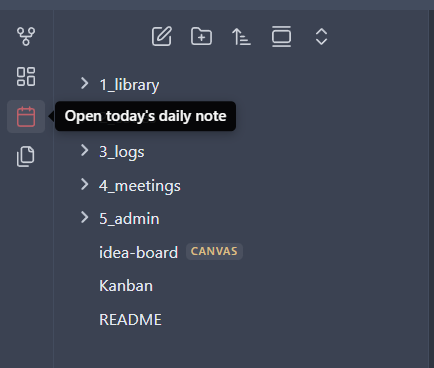
- Click on the Open Today's Daily Notes icon on the left sidebar. This will automatically create a note for the current date inside your
logsfolder.
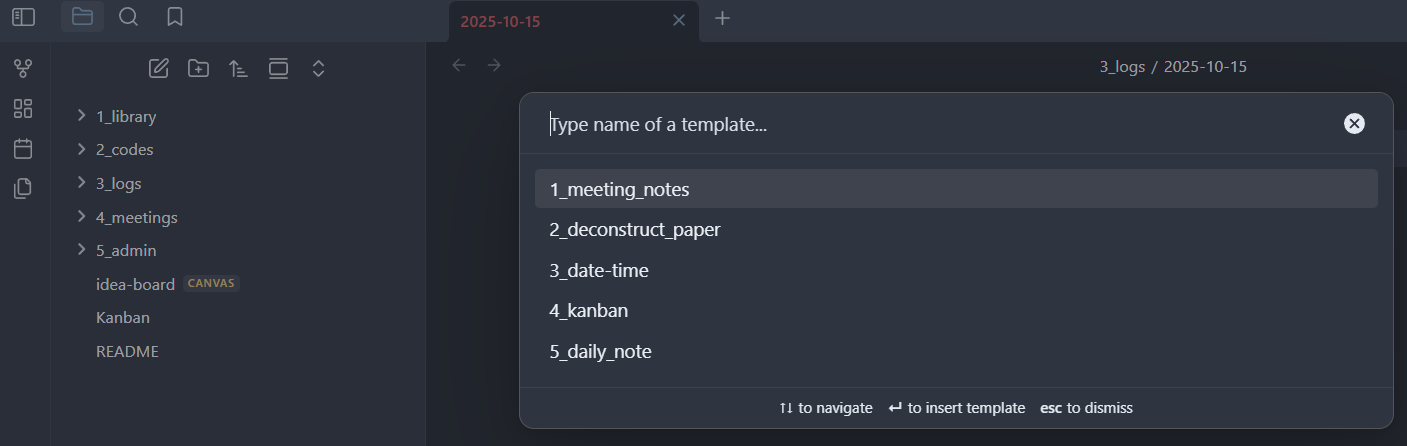
- Next, click on the Insert Template icon in the left sidebar.
- From the pop-up, select Daily Note Template. This will populate your new daily note with the standard headings (such as tasks, notes, updates, and blockers).
- Fill in the note with your daily updates, completed tasks, and any key learnings.
This system ensures that your daily activities are well-documented, trackable, and easy to reference. Over time, your project vault becomes a complete timeline of your research journey — organized, searchable, and transparent for both you and your team.
Summary
By maintaining a structured project journal with well-defined README files, dedicated study folders, and consistent daily logs in Obsidian, you ensure that every part of your work remains organized, accessible, and reproducible. This not only helps your team stay aligned but also enables you to retrieve insights from past studies efficiently — without redoing previous work.